News for the Lazy

The #redditBlackout in response to the outrageous API pricing from reddit and all the surrounding drama, reminded me that I didn’t share how I get my daily dose of news – This is that story.

A long time ago, on a Friday evening, I created newsbeat.io so that I wouldn’t have to browse through a bunch of news sites such as #reddit, #hn anymore.

I wrote a spider to crawl through numerous news sources, gathering all the latest news on the web and also built the website to display the latest news that it collects.

I tried to designed the UI to make it quick and easy for me to find what to read.

And now, all it takes is a single glance to find out if there’s anything important I should read that day!

This has not only kept me well-informed but has also saved me a considerable amount of time over the years, which I would have otherwise spent searching for stuff to read across various news sites.

I’m also #webscraping the news sources and not relying on any APIs, so things such as recent API prices from #reddit won’t be much of a trouble.

My next plan is to implement a bookmarking feature so that I can conveniently save important stuff on the site itself. However, I haven’t had the time to do it yet.

That’s All Folks! Checkout newsbeat.io when you get a chance!

PS: I hired a designer on fiverr to improve the card layout and give the site a nostalgic look reminiscent of the good old #digg that we all loved.

PPS: If you aren’t already, follow me on twitter 😉

~SeeJay

Monday morning: Fighting Stronger

I’m at the start of a full work week and managed to knock out a decent chunk of work this morning… Since my schedule’s totally flexible (Love you Scrapinghub!), I usually get more done later in the day, which doesn’t leave me much time to unwind after. (But honestly, with my hours spread out like this, I’ve got these little pockets of free time sprinkled throughout the day. It’s kept me from getting too stressed, and I think 9-5 work hours are so 1980s.)

I’ve also got my biweekly catch-up with Ken coming up soon to talk work (and life, and everything else in between).

Anyway, my goal’s to tackle more work earlier in the day. So far, today’s looking solid. This is just a quick 5-minute update, so sorry if it’s a bit scattered 🙂


I’ve been looping “Waiting for My Moment” by Donald Glover (from the movie *Creed*) with some pink noise in the background while coding, and I’m absolutely loving this track. =)


In other news, we’re just 26 days out from the Sri Lankan presidential election. I don’t think Sri Lankans have ever been this pumped to vote against the ruling party in any election before…

That says a lot about this trainwreck of a government, doesn’t it?

Until next time…
~SeeJay

Gotabaya – Return of the Jedi

Update: This guy shat the bed. :-/

If you’ve seen me on Facebook, you’d know how I am bombarding my friends with posts on the upcoming presidential election in Sri Lanka.

If you haven’t decided to vote Gotabaya yet, you probably will once you read the following piece published back in 2010 in The Manila Times print edition. Be sure to watch the video of the BBC interview once you finish the article.

Also Did you know that Gotabaya used to be a Unix/Solaris Administrator back in the U.S.? How amazing is that? =) Ok, enough listening to me. Go on read The Manila Times article and be sure to vote early in the morning on 16th of November. ~SeeJay

Continue reading “Gotabaya – Return of the Jedi”

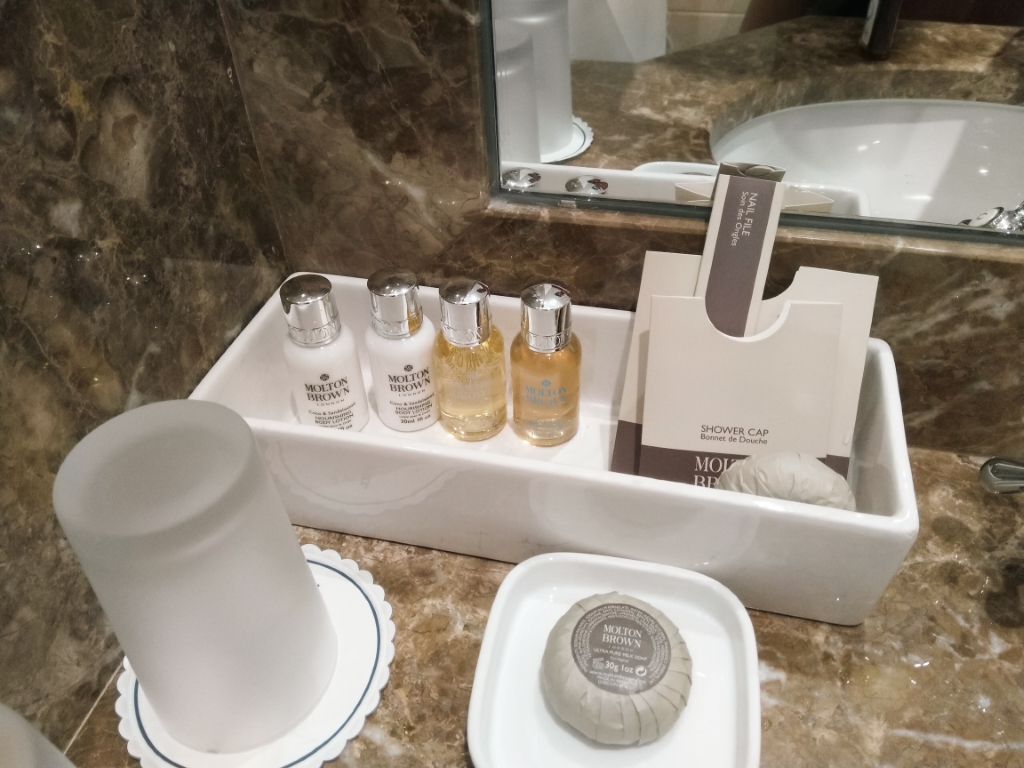
Palácio Estoril : Meeting my team at the James Bond Hotel

Lisbon won “Europe’s Leading City Destination 2018” award and guess where Scrapinghub decided to hold our next meetup?

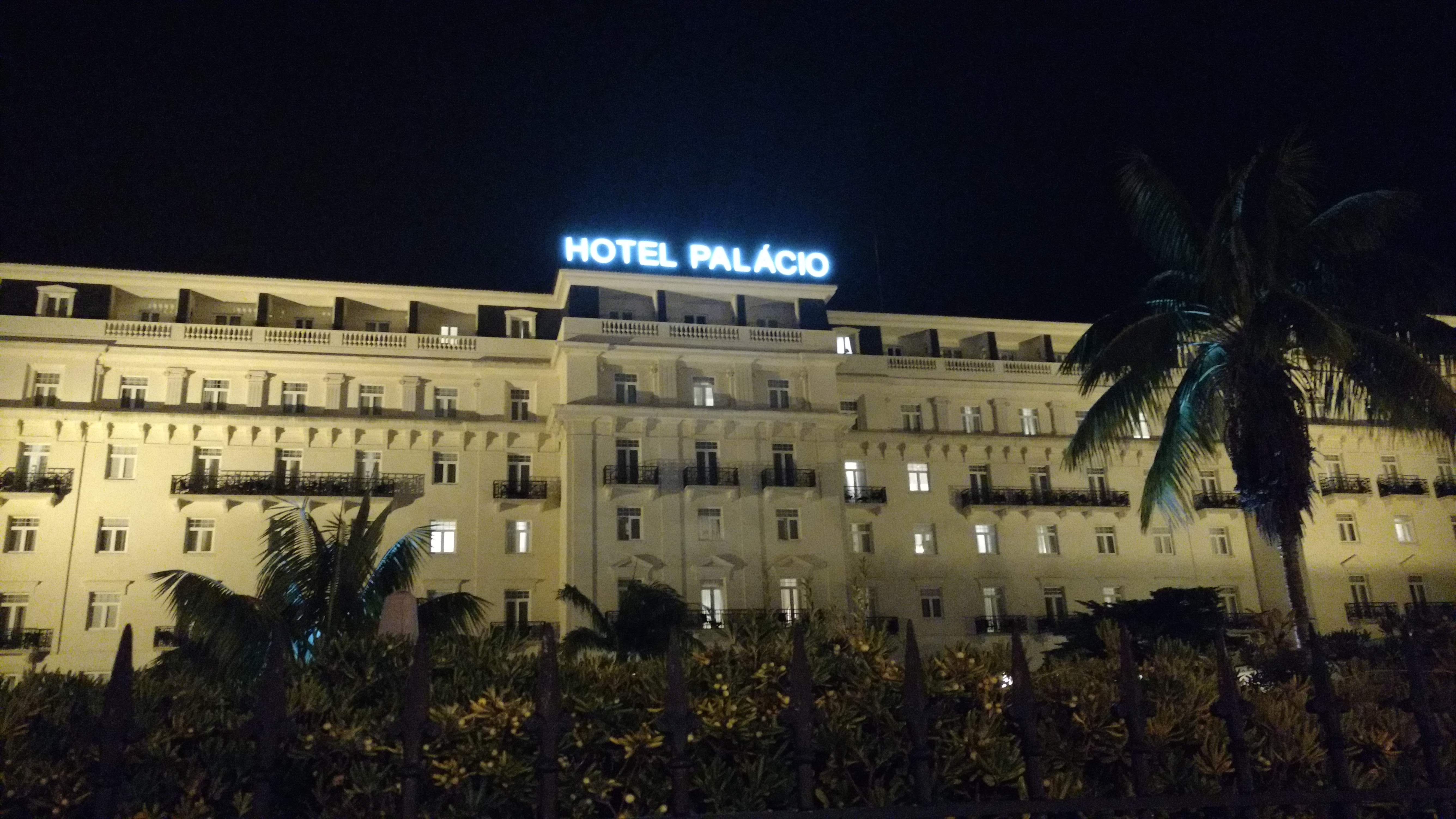
Yes, You guessed it right, We met again in Lisbon, Portugal back in November 2018 at the Scrapinghub annual get together. And we all spent about a week in one of the coolest hotels in Europe, Hotel Palácio Estoril!!! (Take that, Mr. Bond!)

The very same hotel where Ian Fleming found his inspiration for the plot of his first novel Casino Royale. The Hotel Palácio was also James Bond’s hotel in the 1969 film On Her Majesty’s Secret Service

So I prepared for days as usual… trying to find that balance between bringing enough stuff to cover a trip which is supposed to take about a week…

…and failed miserably and ended up packing a luggage full of cloths.

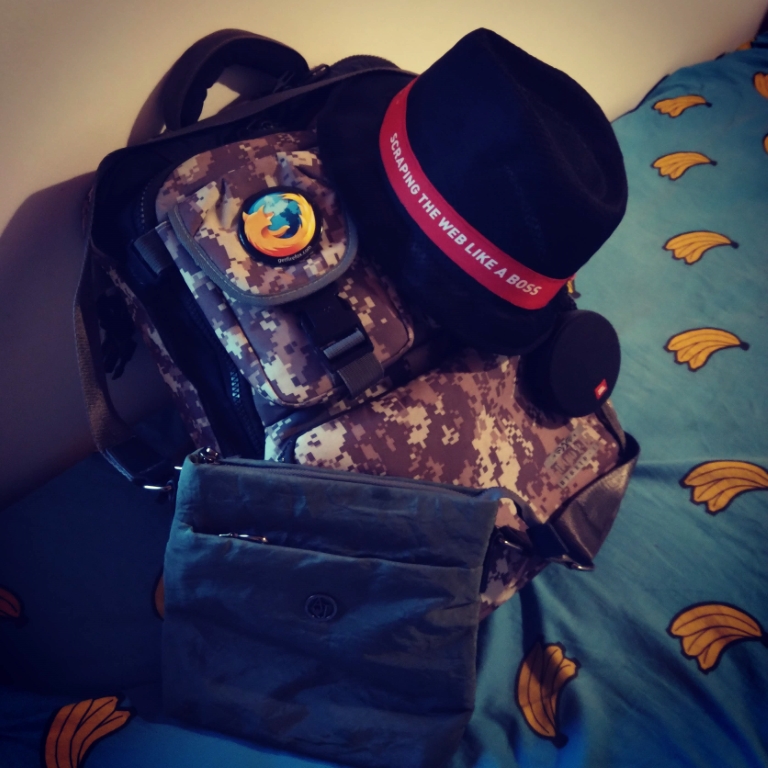
My travel companions.

As usual I was driven to the airport by my little sister. My parents were there as well.

I jumped on an airplane as one should, and landed in Dubai…

…where I had to run across the airport to catch another airplane that flew me to Lisbon, Portugal.

No matter how busy I was trying to not miss my next flight, I did not forget to take the occasional selfie…

Priorities, people!

So I landed in Lisbon and the guy who was driving me to the hotel said there’s another Scrapinghubber coming at the same time… Turns out he had thought my five part name as two different people! 😐
(Yes, I have 5 names in my passport… Yes I know! “The Names Bond, James Bond.” Not going to be me.)

Can’t believe I ruined this shot! I thought my Nokia X6 (Nokia 6.1 Plus) Would be capable of handling the low light situation there, I was clearly wrong! 😐

Next morning I went to the four seasons restaurant at the hotel and joined Pablo, Daniel, Agustin and Alexander for breakfast.

Messenger app only working on WiFi?

I’m a huge fan of the Telegram Messenger. I’ve been using it for a couple of months now and it’s nothing short of amazing. I have it installed in almost every device I use. I kept trying to get Randy and Chanux to switch to using it and even managed to finally get Chanux to set it up on his android but I don’t see him using it much. Randy kept disappointing me as he usually does these days and simply refused to try it (he also refused to watch Star Wars, so yes, my dear Internet, I think we can safely give up on the guy now).

Never_seen_Star_Wars

Anyways I didn’t really write this blog post only to talk about Randy and his awful tastes. About a week ago I noticed that Telegram stopped working in the background while on mobile data and only started working while I’m connected to WiFi. This was really annoying because more than a couple of times I missed all my messages while on the road only to realize that Telegram was offline during my travels. When I get back on WiFi Telegram would notify me about all the messages that I didn’t receive during the day.

This obviously looked like a problem with my data settings that would restrict Telegram from using any mobile data and to my surprise it was all set to normal. Then I thought it was a restriction from the Power saving mode in android and that was also not the case.

A quick search on google led me to a bunch of forums that showed this is not just a problem with Telegram but also happens to be a problem common to a lot of apps that uses background data. And none of them seem to have solved the issue.

I kept looking through the threads and found one suggestion that finally worked for me. It was to reset all app preferences in android. This looked crazy at first but after trying everything I gave up and just did it, and guess what! Telegram now works well on mobile broadband.

So if your messenger app is not working and nothing else works you can do the following:

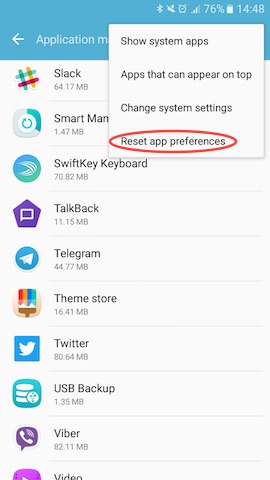
Go to Settings -> Applications -> Applications manager

Select Reset app preferences from the “MORE” menu and you’re done.

reset_app_preferences_android

Be warned though. This would reset the preferences for all the apps in your android phone. So only do this if nothing else works for you.

This trick should also fix apps like Slack, Snapchat, Viber or any other app not working on mobile data.

~SeeJay

Will this help???

OK! I’m not a blogger! SeeJay isn’t a blogger… not anymore!!! :-S I can’t believe I haven’t blogged in so long. And I can’t come up with any excuses besides pure laziness. It’s not wrong to say my higher education’s keeping me kinda busy, but I’ve got to admit I could’ve carved out “some” time for blogging. Yet, somehow, I haven’t spent a single minute on it 😛 Is it because blogging doesn’t feel as exciting as it did back in the day, thanks to all these microblogging platforms like Twitter? Or maybe because I don’t find Blogger’s UI as cool or fun as the WordPress interface I’ve been using lately??? I don’t know. But if it’s the latter, this might just fix it…
Some of you might remember the “Performancing” extension for Firefox, right? For anyone wondering what the heck I’m talking about, it “was” this awesome Firefox add-on that let you post to your blog. Once installed, it gave you a slick text editor right inside the Firefox window, and you could publish a post with just one click. It seriously boosted how often I blogged by cutting out the hassle of logging into the site every time.
But Performancing is gone now. They’ve renamed it (and spruced up the features, of course) to “ScribeFire.” Honestly, this is old news… It’s been months, if not ages, since they made the switch. I’ve had ScribeFire installed this whole time and used it for jotting down notes and stuff. Then, a few minutes ago, it hit me: why not set up ScribeFire to post to seejay.net? So, that’s exactly what I did. Here’s hoping it reignites that old blogging spark… This is my first post using ScribeFire, and I’ve got my fingers crossed that this “not-so-new” method will get me back into the groove and make me a real blogger again…
~SeeJay